M3U / M3U8 playlist editor
Open playlists from files or URLs, organize categories, edit channel names and metadata, manage stream URLs, detect duplicates and save changes.
Playlist Studio is a portable Windows application for managing, editing, organizing, checking and playing M3U/M3U8 IPTV playlists. Work with channel metadata, XMLTV electronic programme guides, stream diagnostics, Xtream Codes and Stalker/MAC portal imports in one desktop workspace.
Edit channel details, review guide coverage, scan stream health and play channels without switching between separate tools.
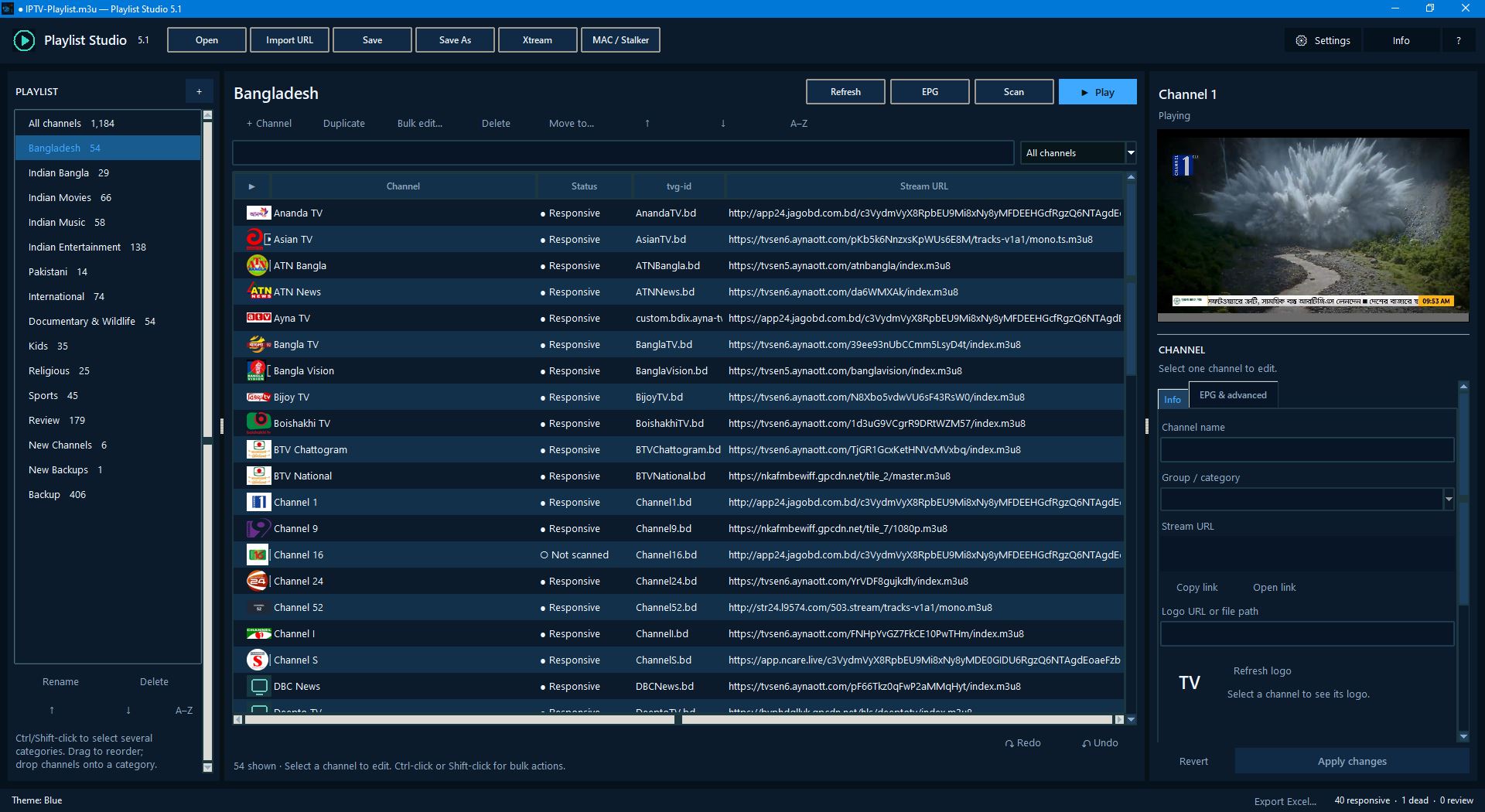
Open playlists from files or URLs, organize categories, edit channel names and metadata, manage stream URLs, detect duplicates and save changes.
Load multiple XMLTV sources from URLs or local XML, GZ, XZ and ZIP files. Review programme coverage, guide status, Now/Next information and channel tvg-id mappings.
Check selected channels or categories with clear statuses, configurable limits and timeouts, pause/resume controls, scan history and exportable reports.
Play channels in the application with fullscreen and volume controls, without installing a separate VLC application.
Import supported Xtream Codes and Stalker/MAC portal playlists, with background operations and safer import handling.
Run the single-file application on Windows 10/11 x64. No installer, Python or separate VLC installation is required for normal use.
The application is portable. Windows may display a SmartScreen warning because the executable is unsigned; download only from the official release and verify the published SHA-256 digest if needed.
Playlist Studio is designed for people who need more than a basic M3U file viewer. Open a local playlist or a supported remote source, review channel entries, update names and metadata, organize groups, inspect stream responses and save a revised playlist.
Available features depend on the installed release and supported source format. Always keep a backup before editing an important playlist.
A Windows M3U editor is desktop software for opening and modifying playlist files that organize channel names, groups and stream URLs. Playlist Studio also includes XMLTV EPG tools and stream diagnostics.
Yes. Playlist Studio is designed to open and manage M3U and M3U8 playlist files, including channel metadata and group organization.
The stream scanner can test selected channels and report diagnostic results. A successful test does not guarantee continuous availability because stream providers can change or restrict access.
It includes XMLTV EPG tools for loading guide sources and reviewing programme coverage, channel IDs and Now/Next information.
Download the portable Windows application from the official GitHub v5.1 release page. Review the release notes and license before use.
Playlist Studio GitHub repository · Version 5.1 release and downloads · Quick start guide · Changelog
Looking for example playlists? Visit the BDIX-IPTV project homepage or the Bangladesh IPTV M3U playlist guide.